Availability, open to everyone
Give every building a public calendar. Tenants can bookmark it, check open times, and sign in only when they need to book.
Make room for everyone. Simple reservations, public availability, and fair booking rules for offices and the people who use them.
No credit card. Free for up to 10 people.Here to book a room?Find your buildingConference room · Week view
From one conference room to a portfolio of buildings, keep bookings clear and access fair.
Give every building a public calendar. Tenants can bookmark it, check open times, and sign in only when they need to book.
Set advance allowances and release spare capacity close to meeting time. Turn individual rules off whenever you don’t need them.
Assign managers to one or several properties. Let tenants use the buildings they belong to, with one account.
Turn a wall-mounted tablet into a room display. Show the current meeting, today’s agenda, and a QR code for booking.
Add tenants individually or import a list. Send invitations and let people choose their own password.
Compare reserved hours by company over a week, month, quarter, or year. Spot patterns before they become a problem.
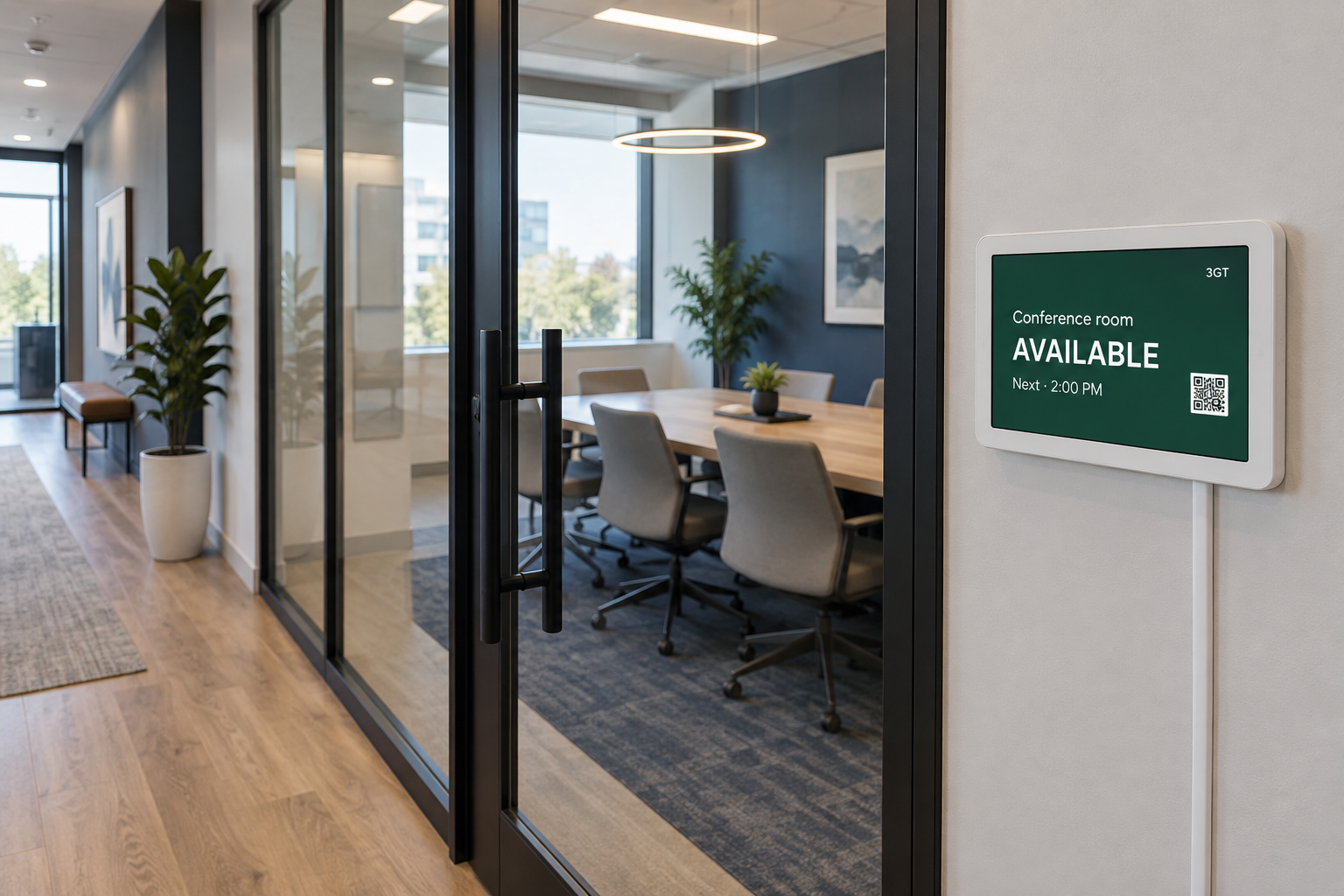 ONE GLANCE. EVERYONE IN THE KNOW.
Is the room free? Who’s meeting now? What’s next? A wall-mounted tablet answers before anyone opens the door.
Included in every plan. Bring your own tablet.
Plan around $250–350 for a typical setup before tax.
Monthly plans in USD. Each person counts once, even across multiple properties. Public calendar visitors are always free.
Try it with your first room.
For a growing office community.
Bring your buildings together.
One place for your whole portfolio.
Paid plans are billed by email invoice. No automatic card charges. Need a larger portfolio? Talk to us.
Anyone can view public availability. Only tenants and managers with access to that property can reserve a room. New customers can create their own workspace; joining someone else’s building requires a manager invitation.
Yes. Opening hours, advance allowances, daily limits, booking duration, and advance notice rules are configurable. Your subscription’s property, room, and user limits still apply.
Tenants accept a manager’s email invitation and choose a password. They can reset it by email and stay signed in for up to 30 days on a trusted device.
A tablet or small screen with Wi-Fi, power, and a browser. Pair it from the manager portal. Visitors scan its QR code and book on their own phone.
Free accounts do not receive invoices. Paid plans use monthly emailed invoices and the payment instructions shown on them. You can cancel future billing in your account; we don’t store or charge payment cards.